The 8.0.12048 version brings the following new features:
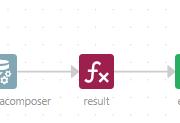
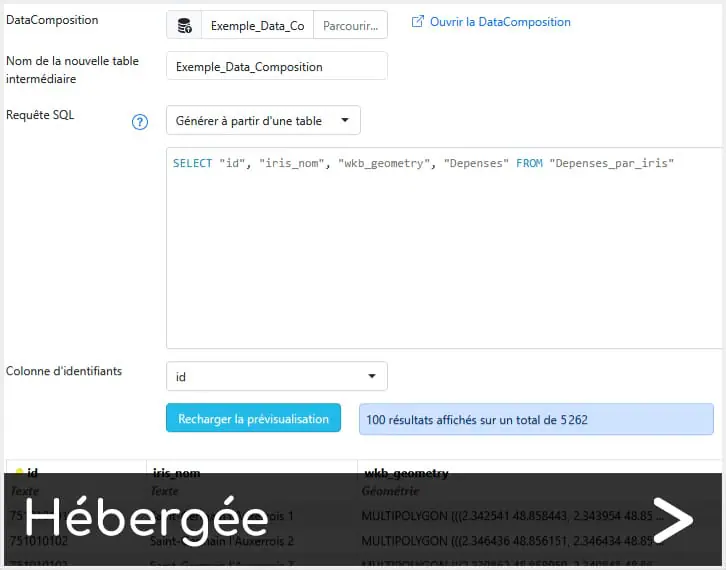
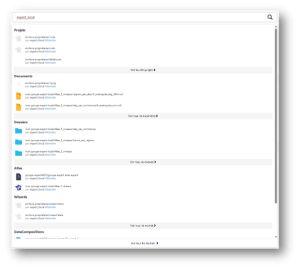
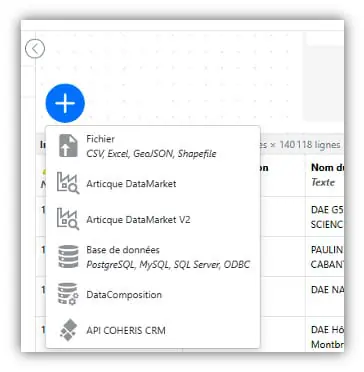
[Analysts/Experts] DataComposer: Import a DataComposition into another DataComposition
This was one of your top requests — it is now possible to import a DataComposition into another DataComposition.
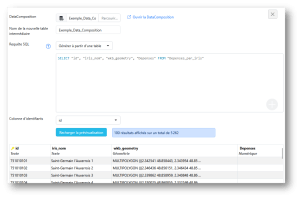
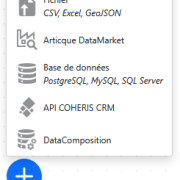
[Analysts/Experts] DataComposer: import of data from Coheris by ChapsVision CRM
It is now possible to import data from the Coheris by ChapsVision CRM software into DataComposer to process and display it on a map.
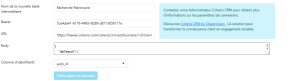
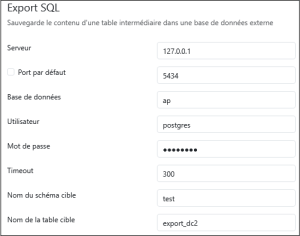
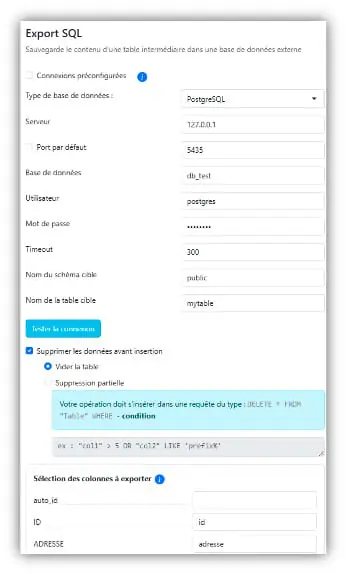
[Analysts/Experts] DataComposer: SQL exports for PostgreSQL
Export your DataCompositions in SQL format for PostgreSQL:
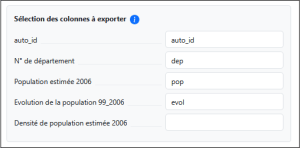
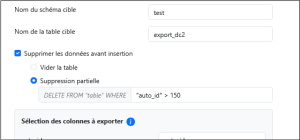
Ability to add new data without overwriting existing records in the dedicated table
Ability to delete part of the existing data using SQL filters
Connection selection from a list preconfigured in the administration panel
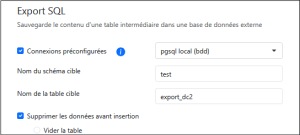
[Analysts/Experts] DataComposer: MySQL and SQL Server exports
In addition to PostgreSQL export, you can now export your DataCompositions to SQL for MySQL and SQL Server:
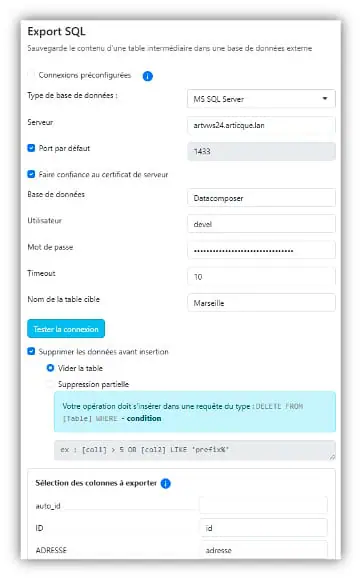
Ability to append data without overwriting existing records in the target table
Ability to delete part of the existing data using SQL filters
Connection selection from a preconfigured list in the administration interface
[Analysts/Experts] DataComposer: table sorting and filtering
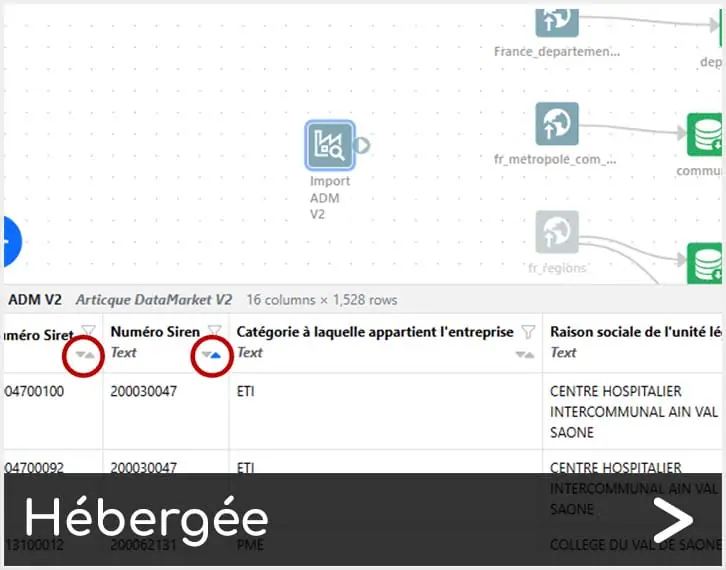
You can now sort columns in ascending/descending order in the data visualization tables of your DataCompositions.
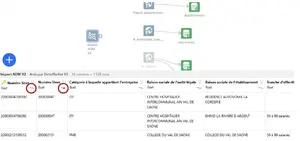
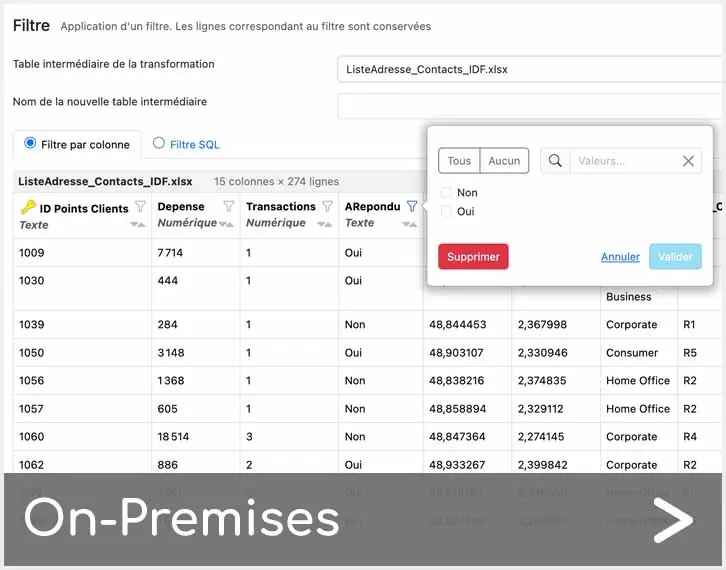
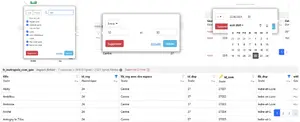
In the same way, you can also filter your data.
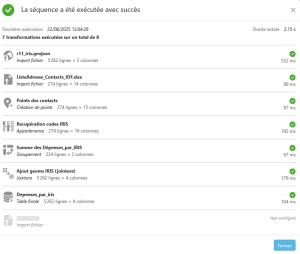
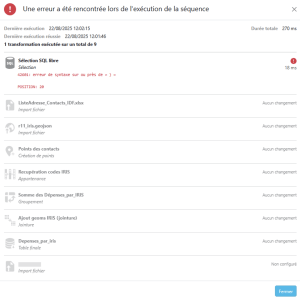
[Analysts/Experts] DataComposer: execution report
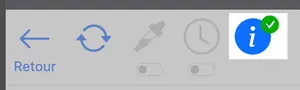
A report is available to let you view the status of your DataComposition executions. To consult it, simply click the blue information button located in the DataComposer toolbar.
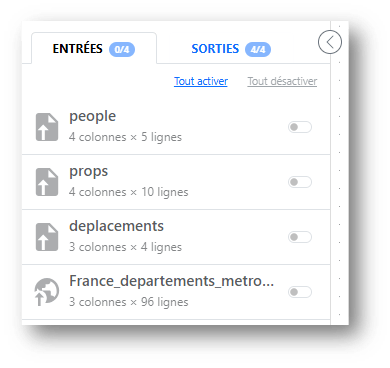
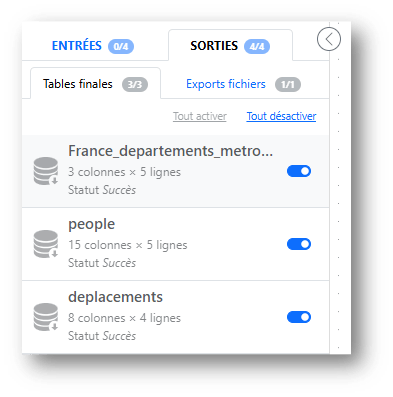
To work on a DataComposition without modifying the final tables to which flowcharts are connected:
Deactivate all table outputs
Work on the DataComposition
Reactivate table outputs once the workflow has stabilised
[Analysts/Experts] Symbol module: setting the caption font
This was one of your main requests, and it is now possible to edit the caption font in the symbol module.
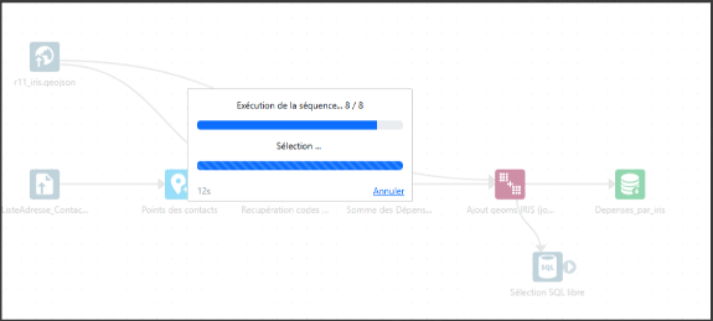
[Analysts/Experts] DataComposer: access to cancel and progress a task in progress
The window for accessing the cancellation and progress of a task in progress is now always accessible, even when the page is reloaded, after a window or tab is closed/reopened, after a tab is changed, when several users open the same DataComposition, etc.
It is now possible to add a Shapefile to your DataComposition
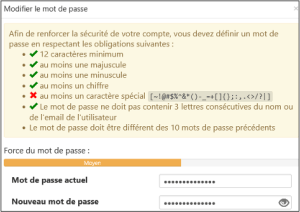
[Analysts/Experts] Login: UX improvements
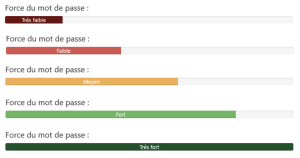
Enhanced user experience when creating or changing the account password A strength indicator now displays the quality of the password as it is being entered
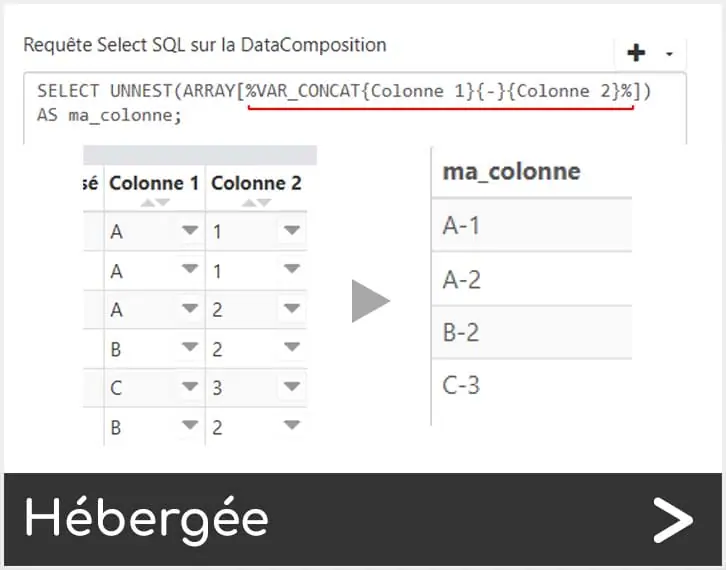
[Analysts/Experts] DataComposer Module: New syntax for concatenating columns
During dynamic filtering, it is now possible to use multiple values of the form %VAR{column_name}%.
[Analysts/Experts] Geolocation: Handling of French municipalities
Improved handling of municipalities whose postal code belongs to a different département than their INSEE code.
[Analysts/Experts] Atlas: warning during generation
When generating an Atlas, a warning is displayed if an SQL query has been modified in a drill-down between what is defined in the Atlas configuration and the parameters of the flowchart.
[Analysts/Experts] DataComposer: CSV/Excel import
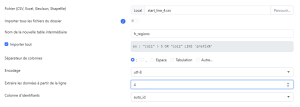
A feature to ignore the first lines of a file during CSV / XLSX import has been added.
[Analysts/Experts] DataComposer: database import
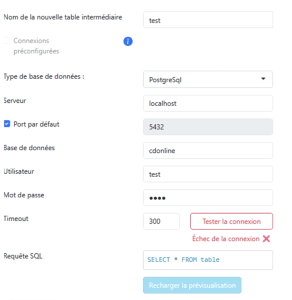
A button to test the connection to your databases has been added to the DataComposer database import module.
[Analysts/Experts] DataComposer: groupings
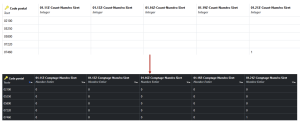
To address an issue sometimes encountered when counting or summing grouped data, a « 0 » now replaces empty values in tables.
Fixed issues
The 8.0.12048 version fixes the following issues:
DataComposer: Fixed a bug affecting distances on road columns without geometry.
Wizards: Fixed a bug impacting hub selection and manual sectoring.
DataComposer: Certain geolocations may cause data to disappear, including during imports.
DataComposer: When a filtered module returning no data is connected as the input of another module and used as a geographic filter, the visualization is empty.
DataComposer: an import with a filter generated an « Exception while reading from stream » error
DataComposer: error when executing a workflow when a table name contained an apostrophe
DataComposer: the ‘Exception while reading from stream’ error message has been clarified; it used to occur when an SQL query was too long
DataComposer: incorrect handling of accented and special characters in file names during import/export
DataComposer: page reloaded unexpectedly when the filename to be exported was entered
Atlas: an Atlas generation error was caused by the presence of a special character.
DataComposer: the ‘Exception while reading from stream’ error message has been clarified; it used to occur when an SQL query was too long
DataComposer: incorrect handling of accented and special characters in file names during import/export
DataComposer: page reloaded unexpectedly when the filename to be exported was entered
DataComposer API: compliance and various fixes
DataComposer: 500 error when opening a non-existent DataComposition
DataComposer: addition of a spatial index on final tables
DataComposer: the /select API route no longer indicated which column was the primary key
Flow module: does not work if the first column of the input data is invalid.
DataComposer: sampling is now taken into account during imports.
DataComposer: fixed a regression that caused performance loss during membership calculations when using a filter in a file import.
Geolocation: faulty detection mechanism for address file encoding
Geolocation: curly braces in addresses caused an error during cache creation in the geolocation transformatio
Geolocation: semicolons in addresses corrupted the format of the uploaded file
DataComposer: the transformation addition menu is hidden behind the data table when the workflow area is too small and the menu opens downward
DataComposer: to avoid any break between organigrams or DataCompositions that include third-party DataCompositions, an identifier is now preserved.
DataComposer: the list of grouping operations was displayed behind the checkbox « Replace empty values with zero… »
Automatic sectorization: error when the map to be sectorized contains overlapping points.
DataComposer: importing an SHP file with missing geometries did not work.
DataComposer: when importing from a database, the preview failed if the source table was empty.
DataComposer: fixed an issue causing duplicate column names after a grouping.
DataComposer: the assistant (+) no longer appeared in filters
DataComposer: removed the enable/disable input/output buttons in a read-only DataComposition
Flowchart: error on opening when a proxy is configured.
Articque DataMarket
Latest updates and improvements for Articque DataMarket in DataComposer:
Updated building-level data from the Real Estate database using the latest version of the BDNB
Several new indicators have also been added:
In the “Reference” sub-theme: identifiers linked to the RNB (National Building Register) and the BAN (National Address Database) to facilitate interoperability between datasets
In the “Typology” sub-theme: two new columns provide ground elevation and details on the status of nearby heating/cooling networks (whether under construction or not)
Updated business and establishment creation data by municipality in the Detailed Business Database The dataset now covers a period of over 10 years (from 2013 to 2024) to simplify growth trend analysis
To provide the best experiences, we use technologies like cookies to store and/or access device information. Consenting to these technologies will allow us to process data such as browsing behavior or unique IDs on this site. Not consenting or withdrawing consent, may adversely affect certain features and functions.
Functional Toujours activé
The technical storage or access is strictly necessary for the legitimate purpose of enabling the use of a specific service explicitly requested by the subscriber or user, or for the sole purpose of carrying out the transmission of a communication over an electronic communications network.
Preferences
The technical storage or access is necessary for the legitimate purpose of storing preferences that are not requested by the subscriber or user.
Statistics
The technical storage or access that is used exclusively for statistical purposes.The technical storage or access that is used exclusively for anonymous statistical purposes. Without a subpoena, voluntary compliance on the part of your Internet Service Provider, or additional records from a third party, information stored or retrieved for this purpose alone cannot usually be used to identify you.
Marketing
The technical storage or access is required to create user profiles to send advertising, or to track the user on a website or across several websites for similar marketing purposes.