The 8.0.11685 version brings the following new features:
[Analyst/Expert] DataComposer: new interface, new workflow, partial reloading…
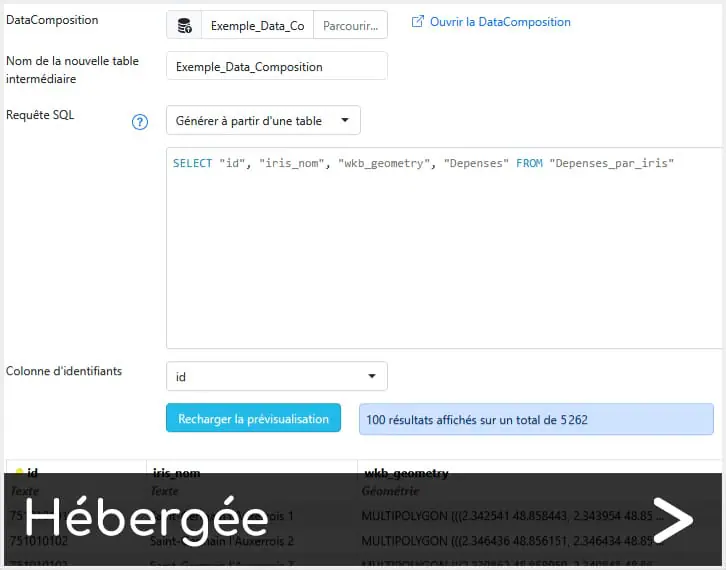
The new version of DataComposer (V2) brings improvements to the interface, creation and execution of data transformations.
Please note: DataCompositions created since the previous version of DataComposer remain available and active in Projects until they are updated with the new system described below. However, it will no longer be possible to modify them (add modules, etc.) without having adapted them in the new DataComposer system.
The new DataComposer simplifies data preparation and offers major changes in the way we work:
The old ‘tables’ that were created and then modified become ‘intermediate tables’ and are positioned in a ‘Data’ tab. In the future interface, they should no longer be visible in this way and this tab will disappear (we’ll do things differently).
It is no longer possible to create operations/transformations from the view of one of these intermediate tables (the functionality banner will disappear from this view).
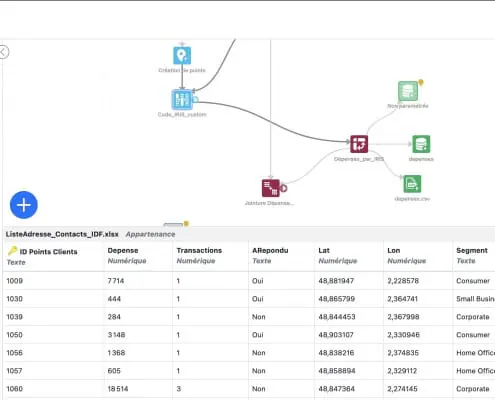
New imports (File/Articque DataMarket, Database import, etc.) or new transformations can now only be added via Workflow (‘+’ button for imports, connectors on modules for transformations/exports): all the Workflow design work is done via Workflow itself. You can ‘pull’ a connector and release it in a vacuum to create a new transformation/export connected behind a module at the location of your choice.
Tables’ in a DataComposition that can be used in a Project flowchart via a DataComposer module are now created by adding a “Table” output behind a module in the Workflow. They then appear in the ‘Table Outputs’ tab.
Final Tables or CSV/GeoJSON exports now appear in the form of a Workflow module (and not as an icon attached to a transformation), for greater visibility.
Workflow no longer automatically creates links in response to an action/functionality: for a join, for example, you need to connect the 2 inputs (2 modules) for the module to work.
The new version of the workflow performs several transformations in ‘deprecated’ mode:
table/column deletions
table/column renaming
column retyping.
The presence of deprecated transformations in a workflow prevents it from benefiting from partial replay, and from adding new transformations. It can still be replayed in its entirety, but it is necessary to correct the workflow by deleting the deprecated transformations and re-parameterising the other linked transformations.
Instead, deletions/renames/retypes are carried out :
Either in the import modules (File/Articque DataMarket, Database Import, etc.), choosing from the outset the columns to be retained, their name and type
Or in the Final Tables modules, by choosing the columns to keep, their name and type, and the name of the table to be created with these columns.
Or directly in the transformations that create new columns (e.g. the Calculation transformation).
The new version of Workflow modifies the behaviour of certain transformations:
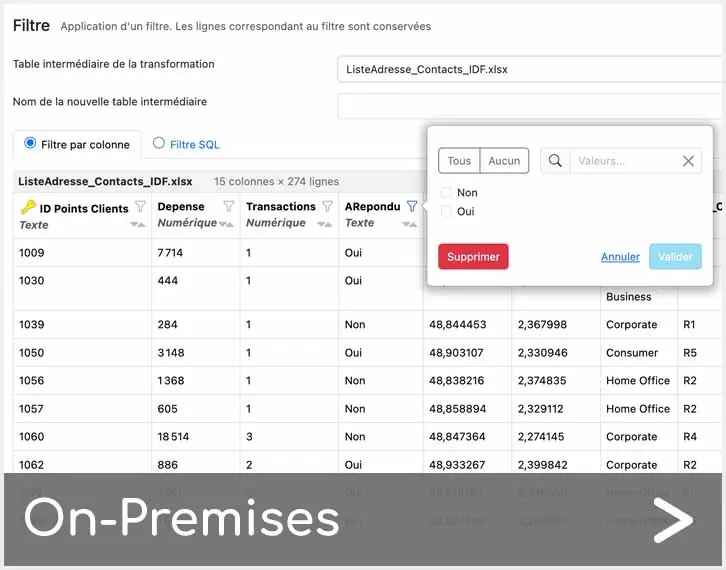
The filter can no longer delete rows in an existing table; it must create a new intermediate table.
The join that used to delete rows with no correspondence in the original table no longer does this: it creates a new intermediate table.
To find out more, go to the ‘Online help’ section of your geomarketing solution.
[Analyst/Expert] Symbols: new icons available
Discover over a hundred new Energy, CSR and Stats symbols for your projects and Atlas navigation.
Improvements
The 8.0.11685 version brings the following improvements:
[All users] Authentication: back to the previous version
Authentication is once again case insensitive.
[Expert] Atlas: navigation with symbols
The Atlas example now include images in its navigation.
Fixed issues
The 8.0.11685 version fixes the following issues:
DataComposer – Excel Import: Error if first sheet is empty.
Geocoding: after completing the geocoding of a file, it was not possible to launch the manual address revision operation.
To provide the best experiences, we use technologies like cookies to store and/or access device information. Consenting to these technologies will allow us to process data such as browsing behavior or unique IDs on this site. Not consenting or withdrawing consent, may adversely affect certain features and functions.
Functional Toujours activé
The technical storage or access is strictly necessary for the legitimate purpose of enabling the use of a specific service explicitly requested by the subscriber or user, or for the sole purpose of carrying out the transmission of a communication over an electronic communications network.
Preferences
The technical storage or access is necessary for the legitimate purpose of storing preferences that are not requested by the subscriber or user.
Statistics
The technical storage or access that is used exclusively for statistical purposes.The technical storage or access that is used exclusively for anonymous statistical purposes. Without a subpoena, voluntary compliance on the part of your Internet Service Provider, or additional records from a third party, information stored or retrieved for this purpose alone cannot usually be used to identify you.
Marketing
The technical storage or access is required to create user profiles to send advertising, or to track the user on a website or across several websites for similar marketing purposes.



 New features – November 27th, 2024
 Cliquez ici pour la version française